Advance Brain Wallet
An Advance Brain Wallet is a wallet made only from things you remember: a phrase, a date and a number. There are no words to write down and no file to carry. The same three things give the same wallet on any computer, today or in twenty years.
Why “advance”
Section titled “Why “advance””A classic brain wallet turns a phrase into a key with one fast calculation, so a thief can try billions of phrases per second. Here the key is made with Argon2id, a calculation built to be slow and to need a lot of memory (640 MiB, several seconds on a normal computer), and the date and the number take part in it. Every guess costs the thief that same time and memory, which makes guessing millions of times more expensive. It does not make a weak phrase safe: it makes a good one very hard to break. The details are in How your data is protected.
Create it
Section titled “Create it”-
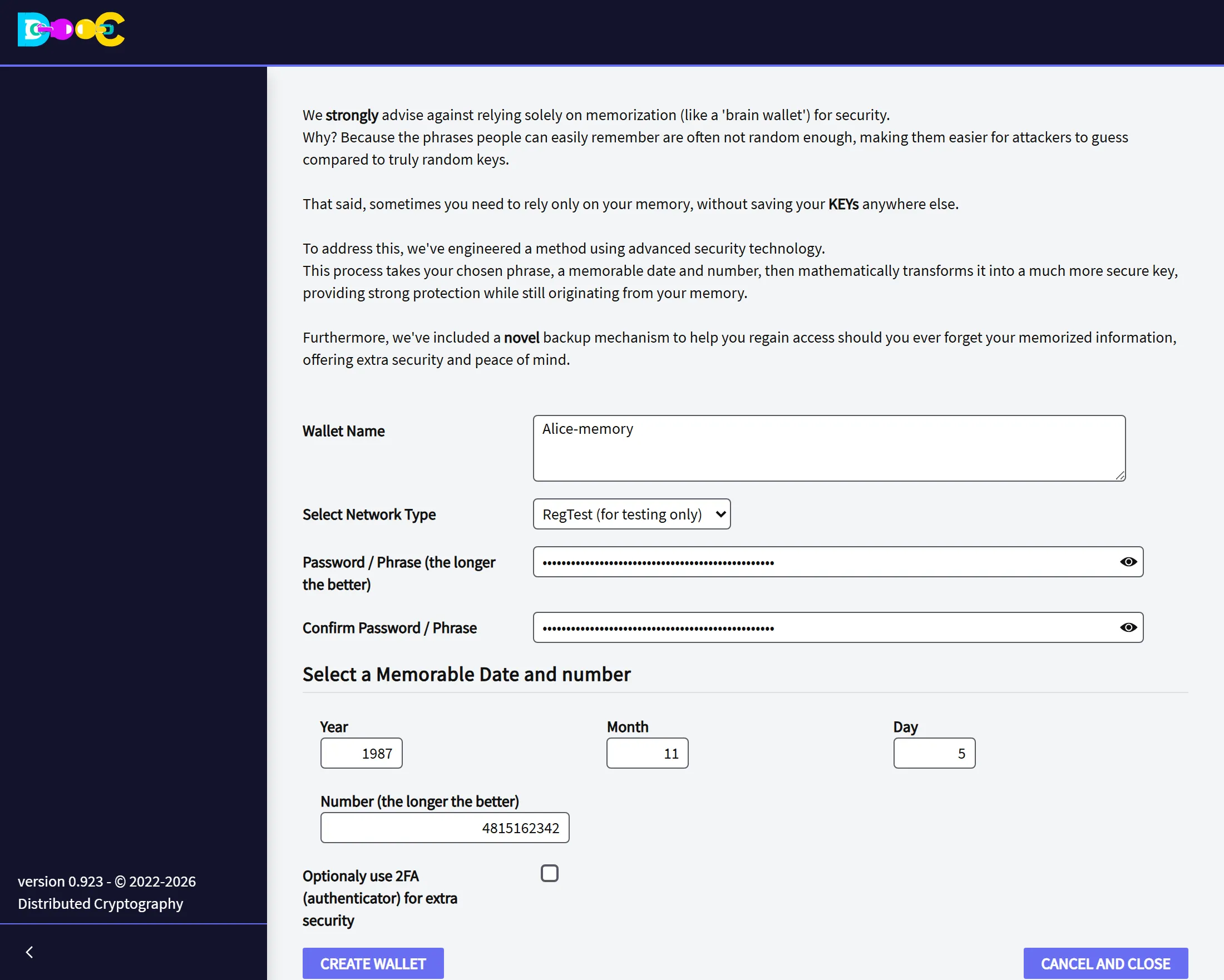
On the wallets page click Create/Restore Advance Brain Wallet.
-
Type a name for the wallet and choose the network.
-
Type your phrase, twice.
-
Type the date (year, month and day, in numbers) and the number.
-
Click Create Wallet. The calculation takes a few seconds and needs about 1 GB of free memory. The wallet then appears in the list.
To open the wallet on this computer, the password is the phrase.
Choosing the phrase, the date and the number
Section titled “Choosing the phrase, the date and the number”- The phrase: five or six words that have nothing to do with each other are much stronger than a sentence that makes sense. Do not use a quotation, a line of a song, a saying or anything that is written somewhere. It can have up to 100 characters.
- The date: not your birthday, nor a date that other people connect with you.
- The number: the longer the better, eight digits or more. Not your telephone or document number.
The three are used exactly as you type them:
- In the phrase, capital letters, spaces and accents count.
Blue horseandblue horseare different wallets. - Type the year with its four digits.
85and1985are different wallets. - In the number, zeros at the beginning do not count:
007is the same as7.
Get it back
Section titled “Get it back”Getting the wallet back is creating it again: the same page, the same phrase, date and number. Any computer with the application will do.
Use a wallet name that is not in the list. If a wallet with that name already exists, it is kept as it is and nothing new is created.
If the wallet you get is empty and should not be, one of the three things is not exactly what you typed the first time. The application cannot tell you which one: every combination is a valid wallet.
What stays on the computer
Section titled “What stays on the computer”Like every wallet, it is saved in the wallets folder, encrypted with its password, which here is the phrase.
- On a computer that has the wallet, the phrase alone opens it. The date and the number are needed to build the wallet, not to open a copy that is already there.
- If you chose to use an authenticator (2FA), it belongs to the copy on that computer. A wallet built again from memory on another computer does not ask for it.
If you forget
Section titled “If you forget”Nobody can recover the phrase, the date or the number for you. What can bring the wallet back is a Consensus Backup: people you trust hold pieces of the key, and together they return the wallet to you. Set it up while you still remember.
- Create a wallet with words, the recommended way
- Consensus Backup