
Time-Encrypted Vault
What happens when the person with all the passwords cannot log in?
Business owners, freelancers and families manage countless digital accounts: bank portals, crypto wallets, payroll, supplier contracts, personal files. If something happens to you, who can take over? Most people have no plan, and the result is lost money, stopped operations or legal chaos.
A Time-Encrypted Vault is that plan. It is a backup of your wallet that a group you trust can open, but only after a date you set, and only if enough of them agree. While you are around, you keep moving the date forward and the vault stays closed. If one day you stop, the date arrives and the group can recover what you protected.
It is estate planning, disaster recovery and access control in one system, and you keep custody the whole time: no lawyers, no delays, and no third party holding your keys.
How it works
Section titled “How it works”A vault has two groups of people, and a date.
| Who they are | What they do | |
|---|---|---|
| Restore group | The people who will recover your wallet | They hold shares of the secret. A minimum number of votes is needed. |
| Bounty group | The people who “ring the bell” | After the date, any one of them can collect a small amount of bitcoin you left as a reward. Collecting it is what opens the time lock. |
| Restore date | A date from tomorrow onwards | Before it, nobody can open the vault. You push it forward for as long as you want the vault to stay closed. |
Opening the vault needs both things:
- The date has passed and the bounty has been collected. The reward sits on the bitcoin blockchain, locked until the restore date. When a bounty member collects it, the transaction publishes the piece that was missing. The bitcoin network itself enforces the date, not our servers.
- The restore group reaches its minimum. Enough members reveal their shares, as in a Consensus Backup.
Neither group can open the vault with only its own part.
In this guide Alice creates the vault Family vault. Bob and Carol are the restore group (one vote each, minimum two) and Dave is the bounty group.
Before you start
Section titled “Before you start”1. Create the vault (owner)
Section titled “1. Create the vault (owner)”-
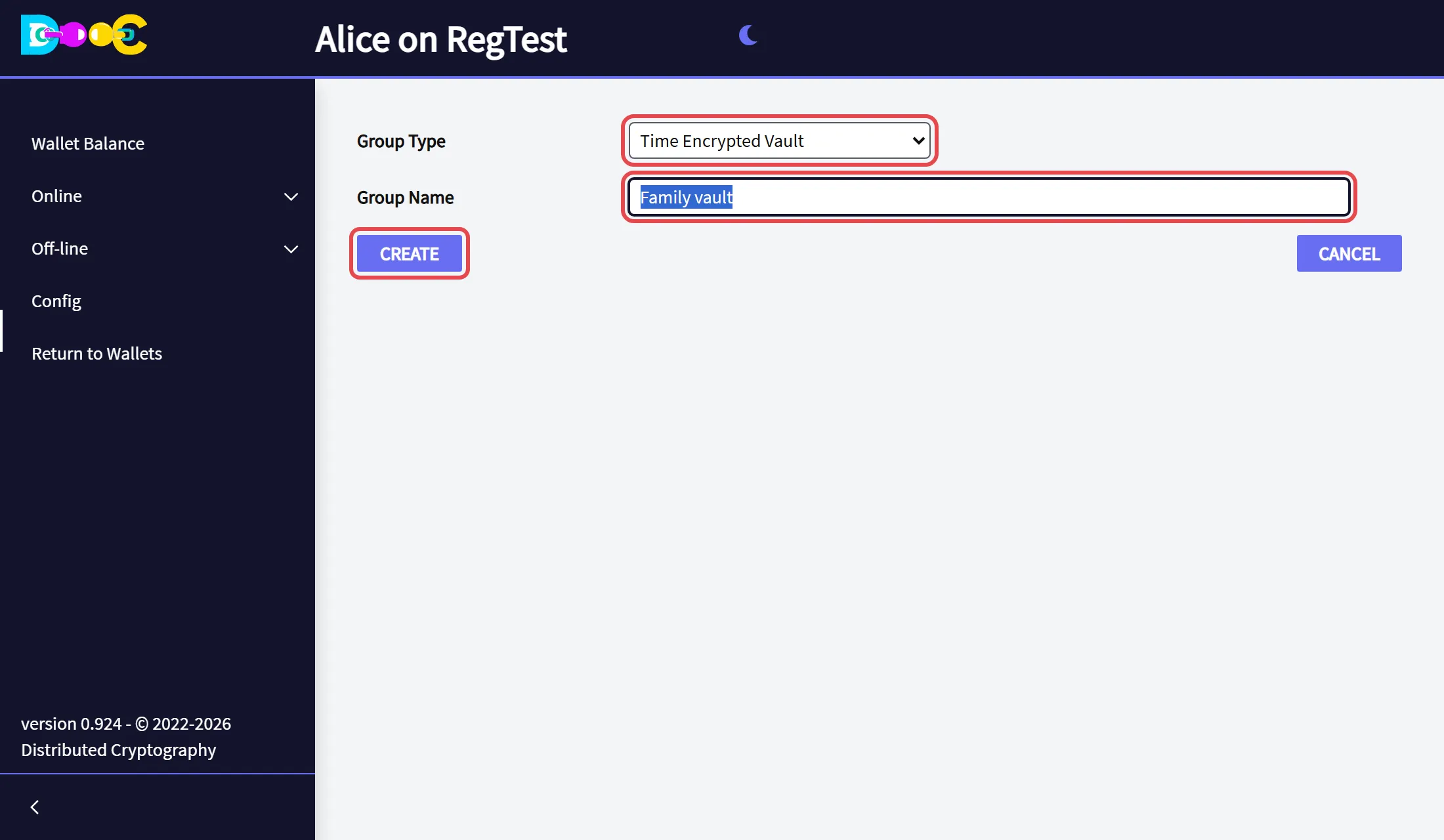
Open Online → Smart Groups and click Create Group. Choose the type Time Encrypted Vault, type a name and click Create.
-
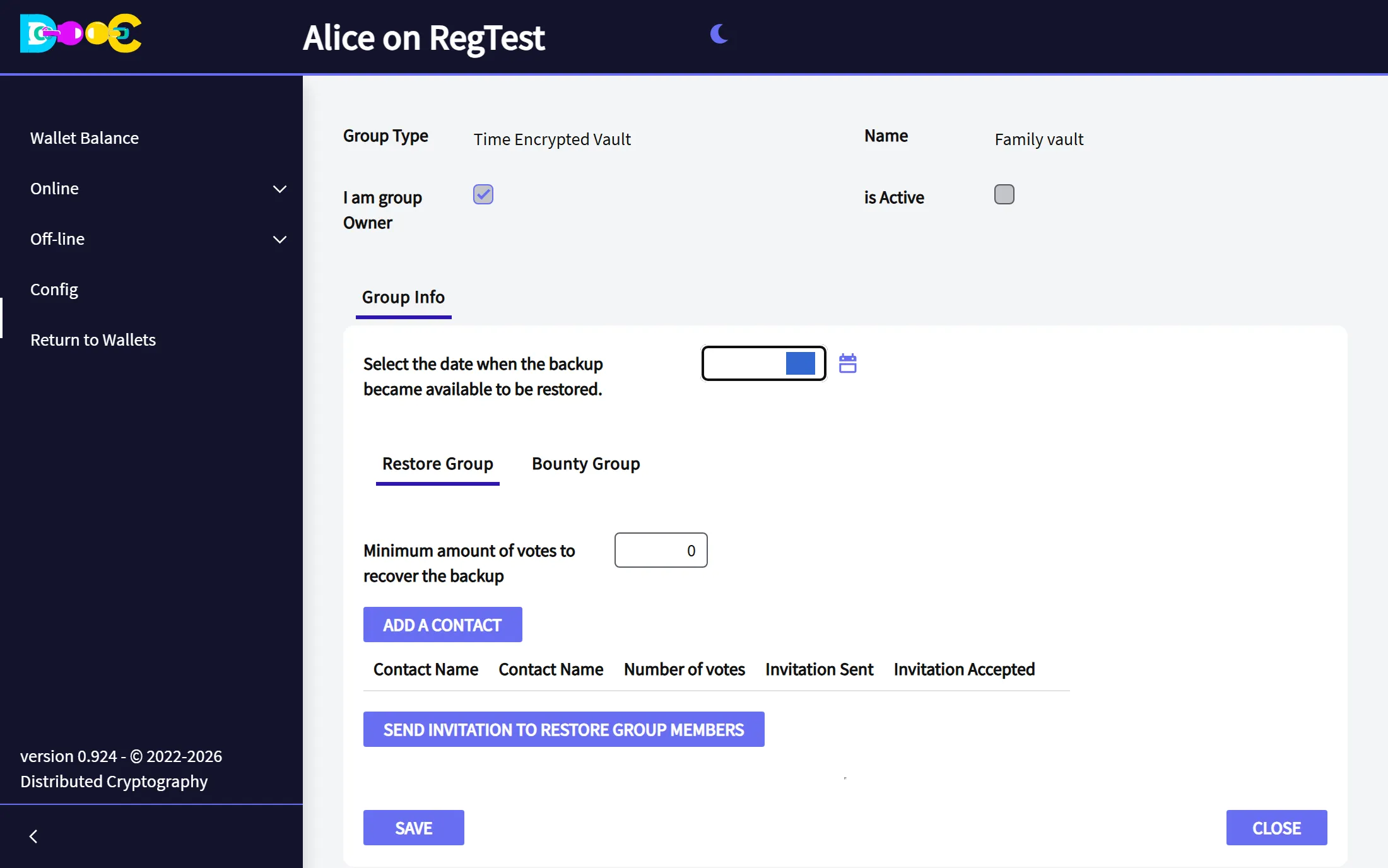
Open the group. It has the restore date at the top and two tabs inside: Restore Group and Bounty Group.
2. The restore group (owner)
Section titled “2. The restore group (owner)”In the tab Restore Group:
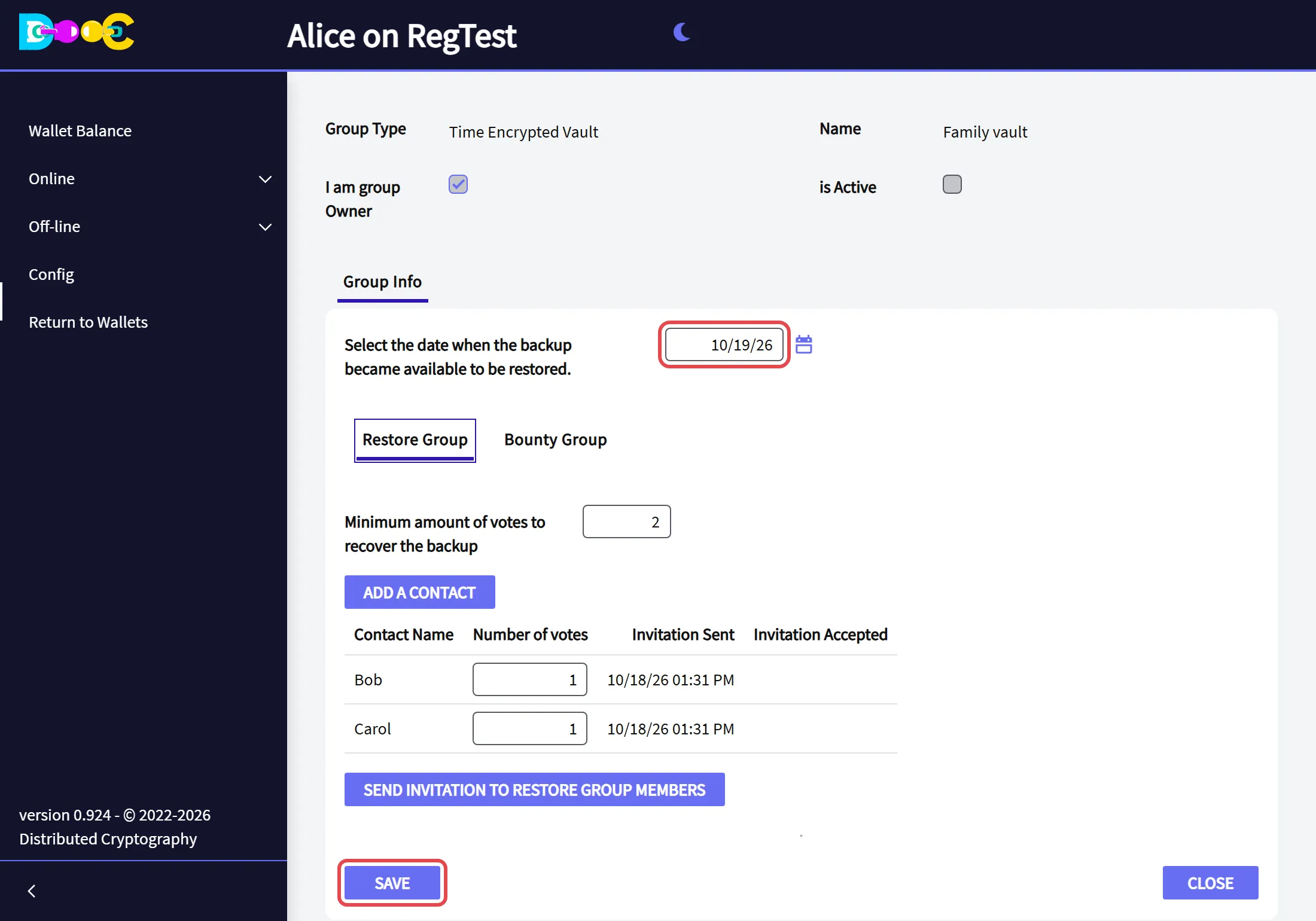
- Click Add a contact for each person who will restore your wallet.
- Set the number of votes of each one, and the minimum amount of votes to recover the backup.
- Click Send invitation to restore group members.
3. The bounty group (owner)
Section titled “3. The bounty group (owner)”In the tab Bounty Group, click Add a contact for each person who may collect the bounty, then click Send invitation to bounty group members.
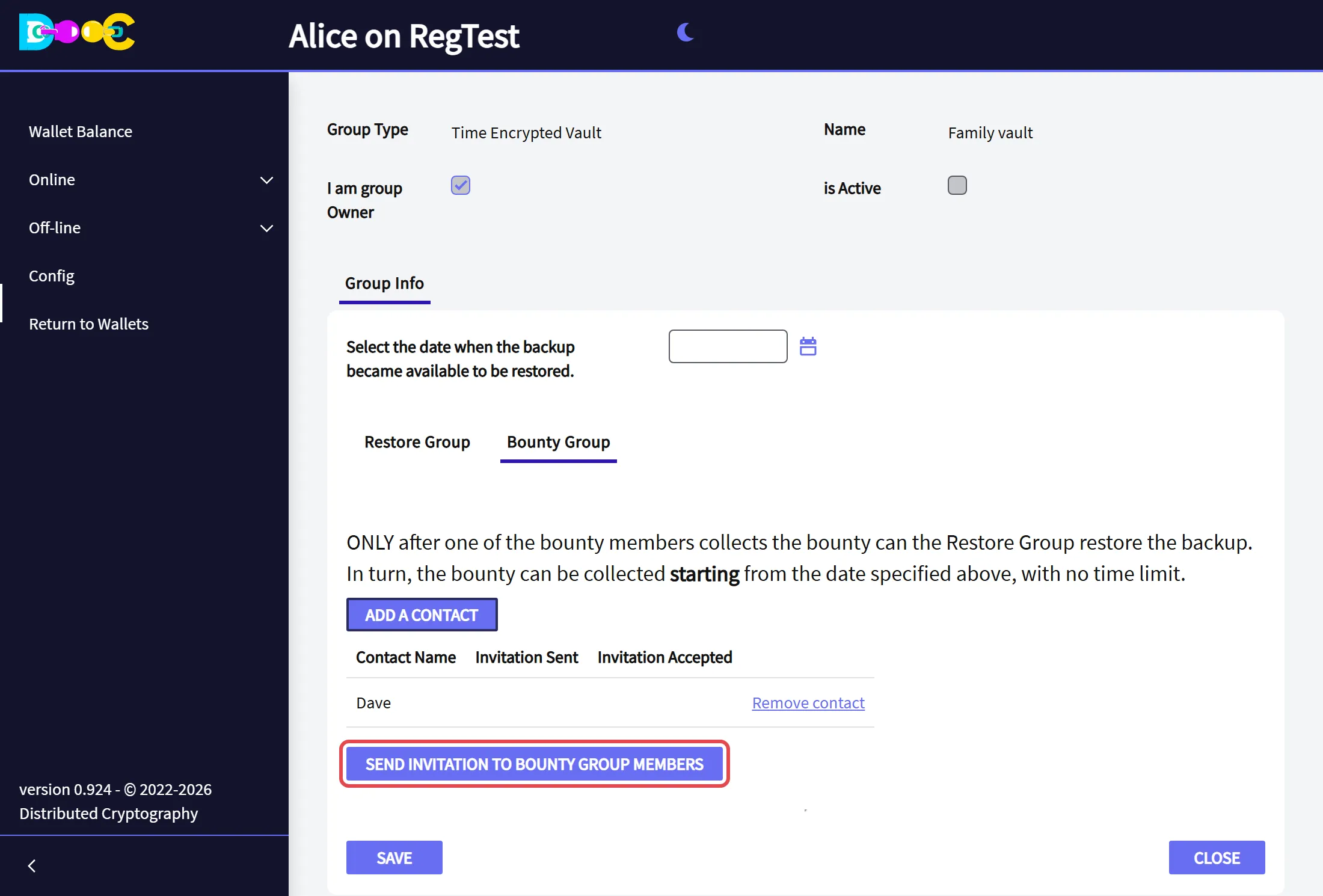
The tab reminds you how it works: only after one of the bounty members collects the bounty can the restore group restore the backup, and the bounty can be collected from the restore date on, with no time limit.
4. The restore date (owner)
Section titled “4. The restore date (owner)”Type the date in Select the date when the backup became available to be restored, or pick it with the calendar, and click Save. The date must be tomorrow or later.
5. Accept the invitation (every member of both groups)
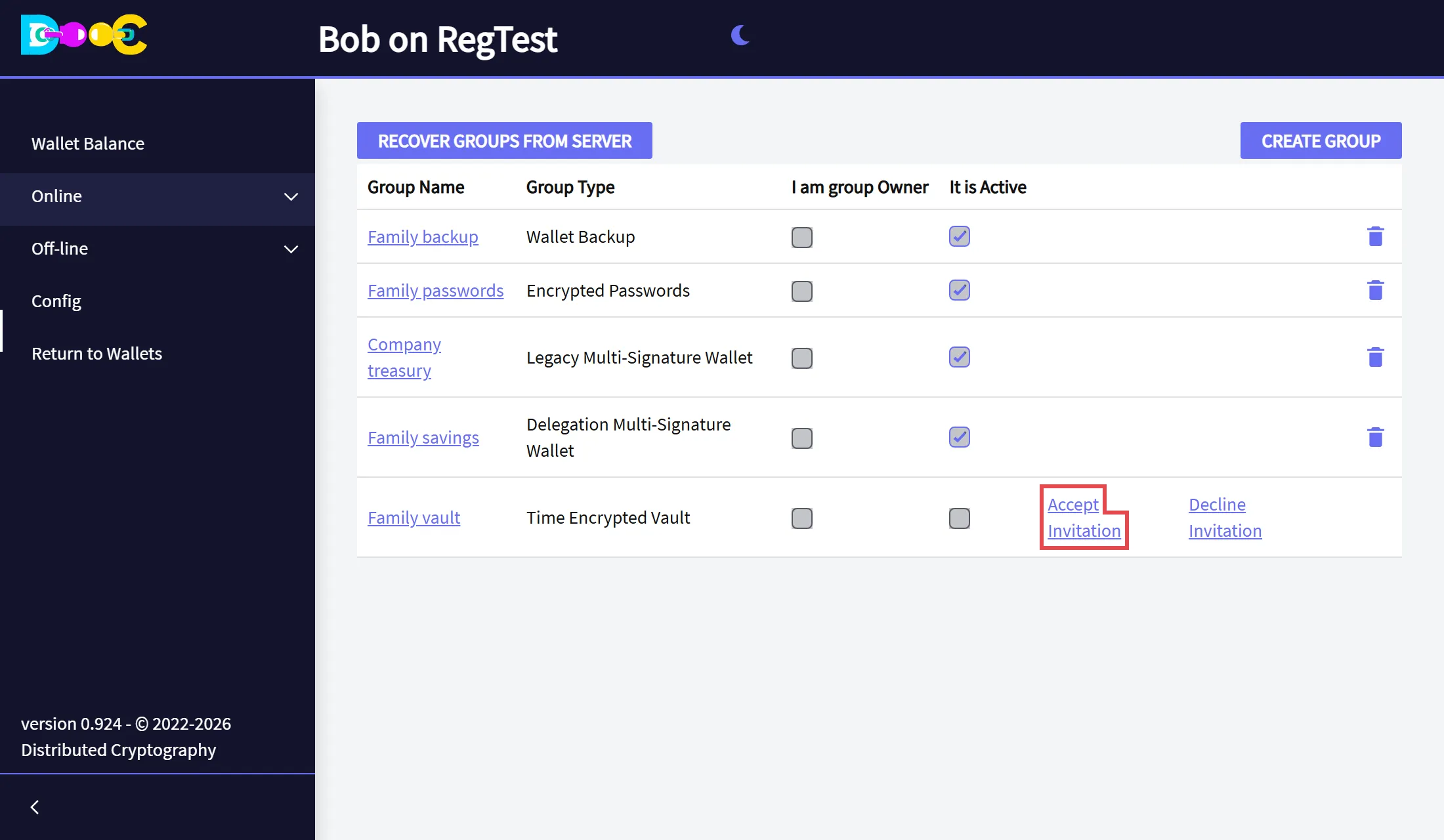
Section titled “5. Accept the invitation (every member of both groups)”Open Online → Smart Groups in your own wallet and click Accept Invitation on the vault’s row.
6. Activate the vault (owner)
Section titled “6. Activate the vault (owner)”-
When everybody in both groups has accepted, open the vault and click Activate Groups.
-
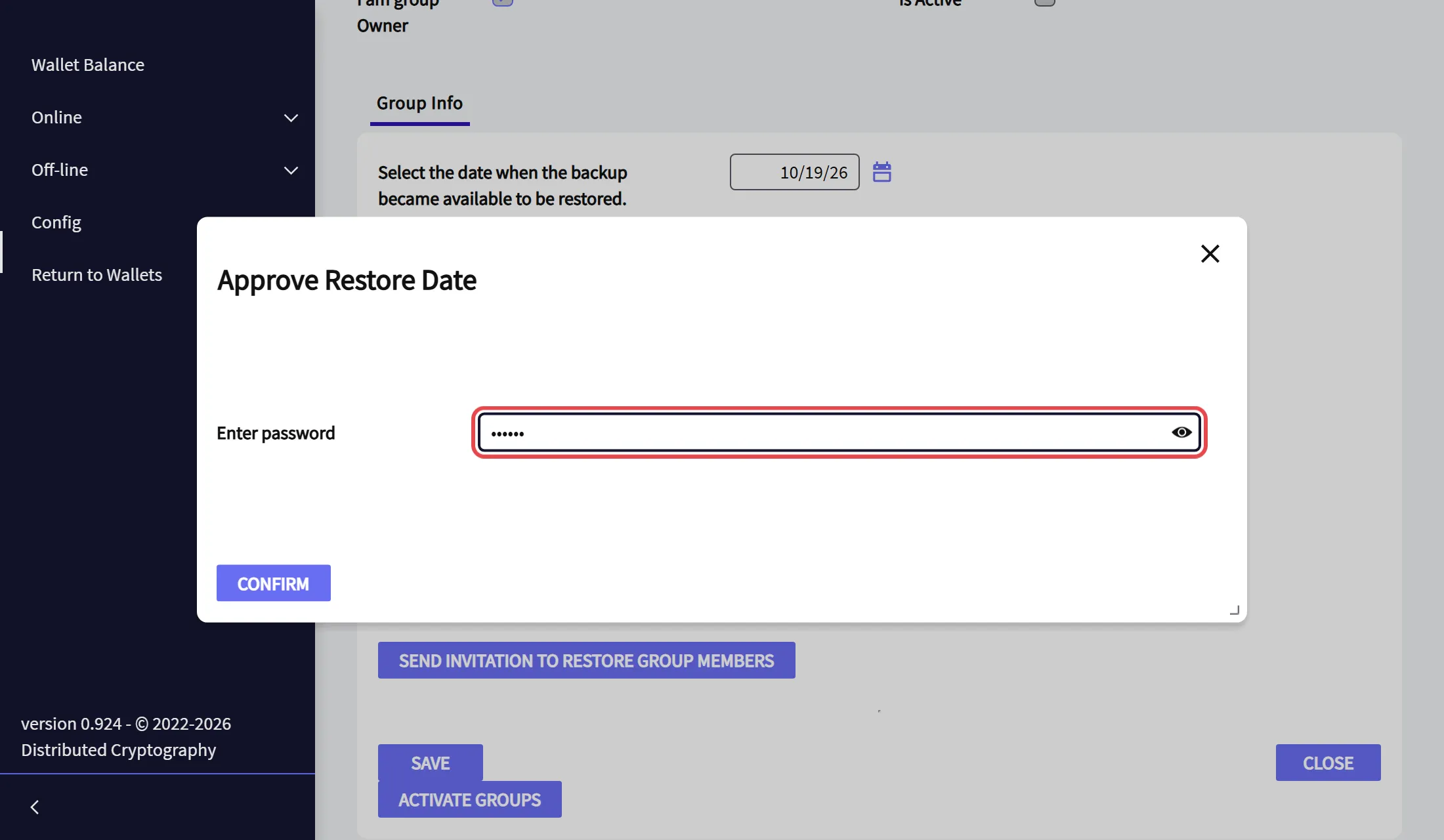
Type your wallet password and click Confirm.
-
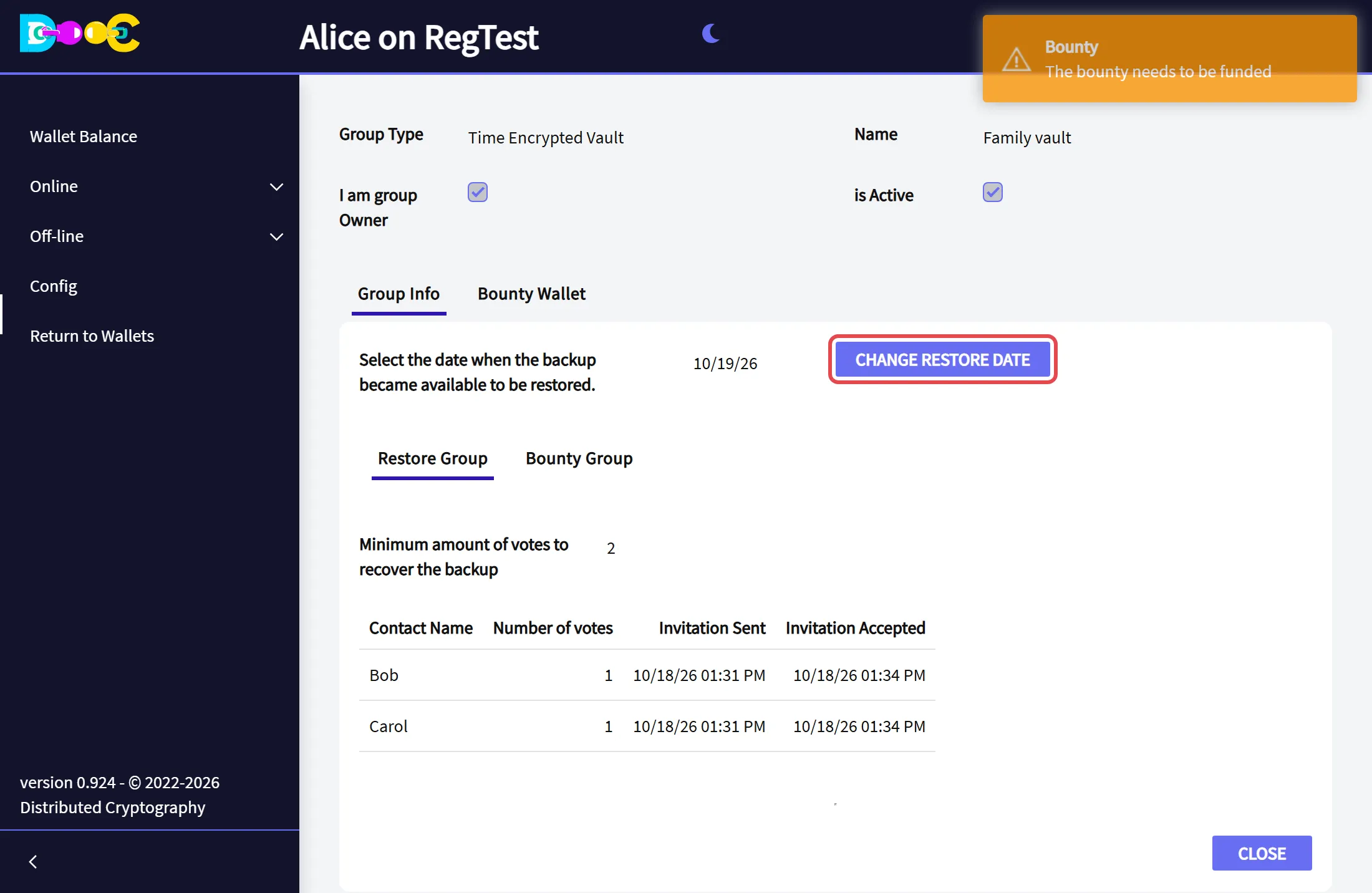
The vault is active. It now has the button Change Restore Date and a second tab, Bounty Wallet. The app reminds you that the bounty needs to be funded.
On activation your wallet secret is split on your computer, and every piece is encrypted for the member who keeps it.
7. Fund the bounty (owner)
Section titled “7. Fund the bounty (owner)”-
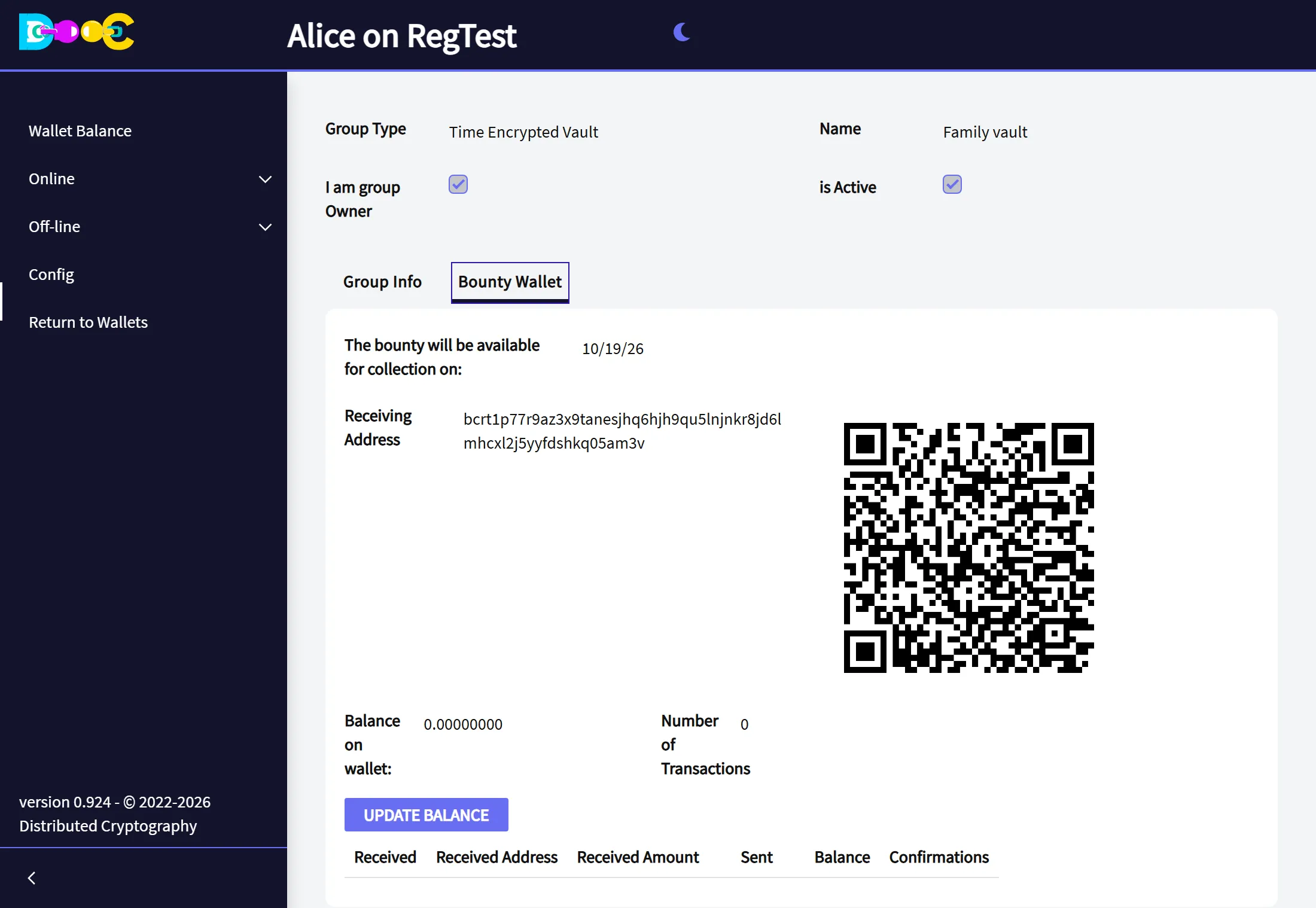
Open the tab Bounty Wallet. It shows the date from which the bounty can be collected and the receiving address of the bounty.
-
Send a small amount of bitcoin to that address, from your wallet or from anywhere else. This is the reward for the bounty member who opens the time lock. Click Update Balance to see it.
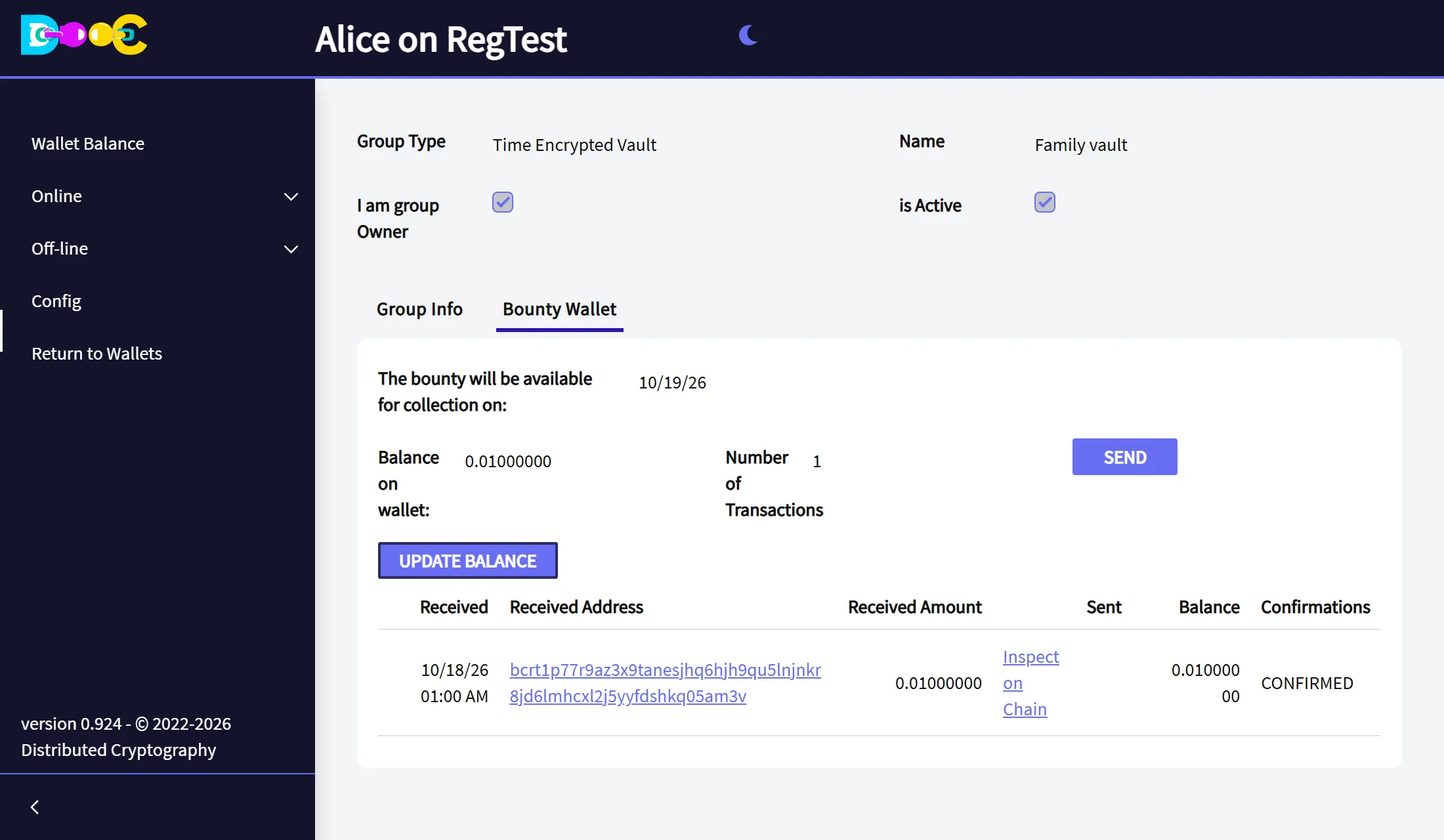
The vault is now ready. As the owner, you can take the bounty back at any time with Send.
Keep it closed: renew the date
Section titled “Keep it closed: renew the date”Before the restore date arrives, open the vault and click Change Restore Date. Type your password and the new date. The vault gets a new bounty address for the new date: move the bounty to it from the Bounty Wallet tab.
This is your regular “I am still here”. Pick a rhythm you can keep (every few months, for example) and put a reminder in your calendar.
When the date has passed
Section titled “When the date has passed”A bounty member collects the bounty
Section titled “A bounty member collects the bounty”-
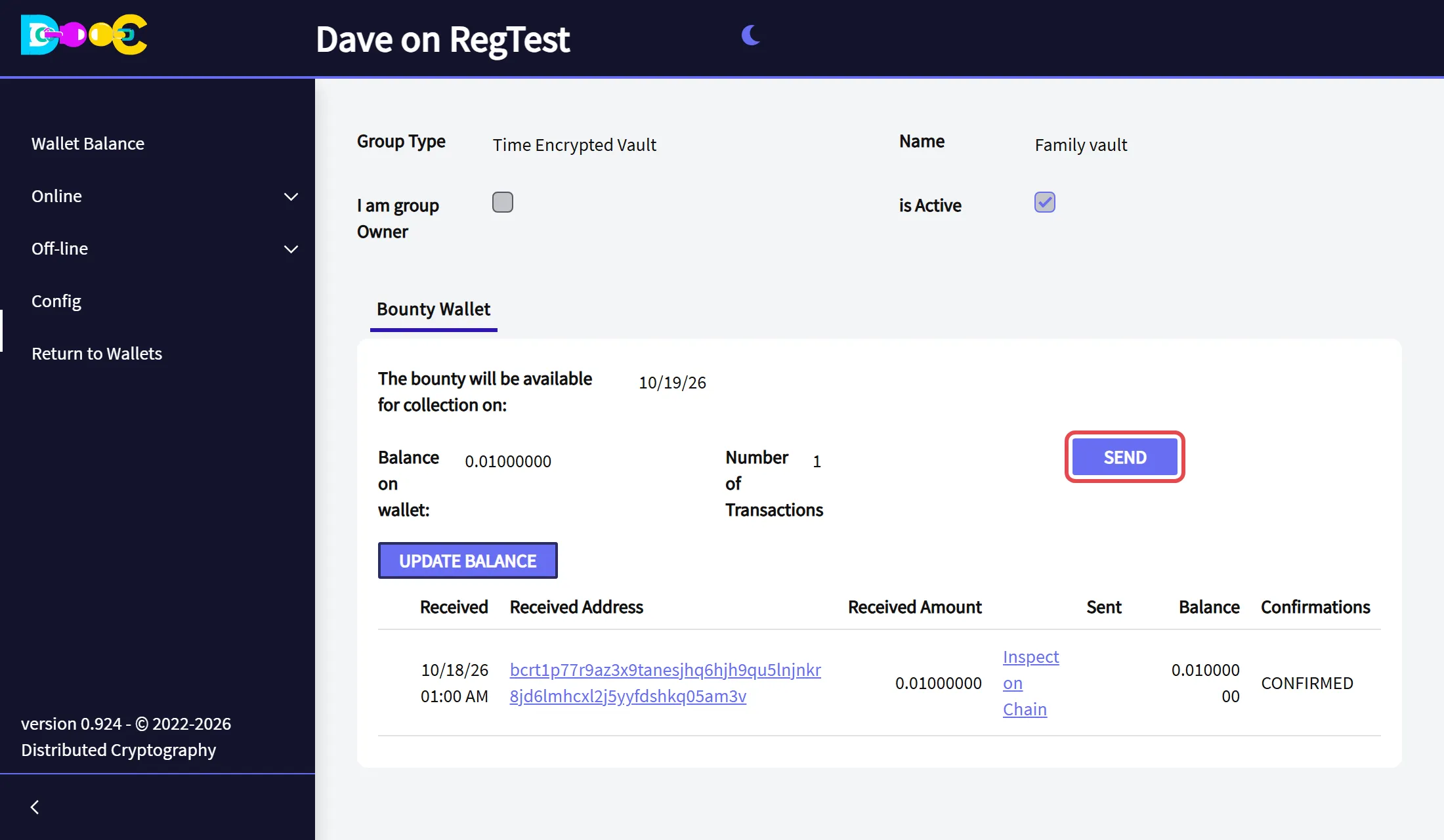
Open the vault. Your only tab is Bounty Wallet. From the restore date on, click Send.
-
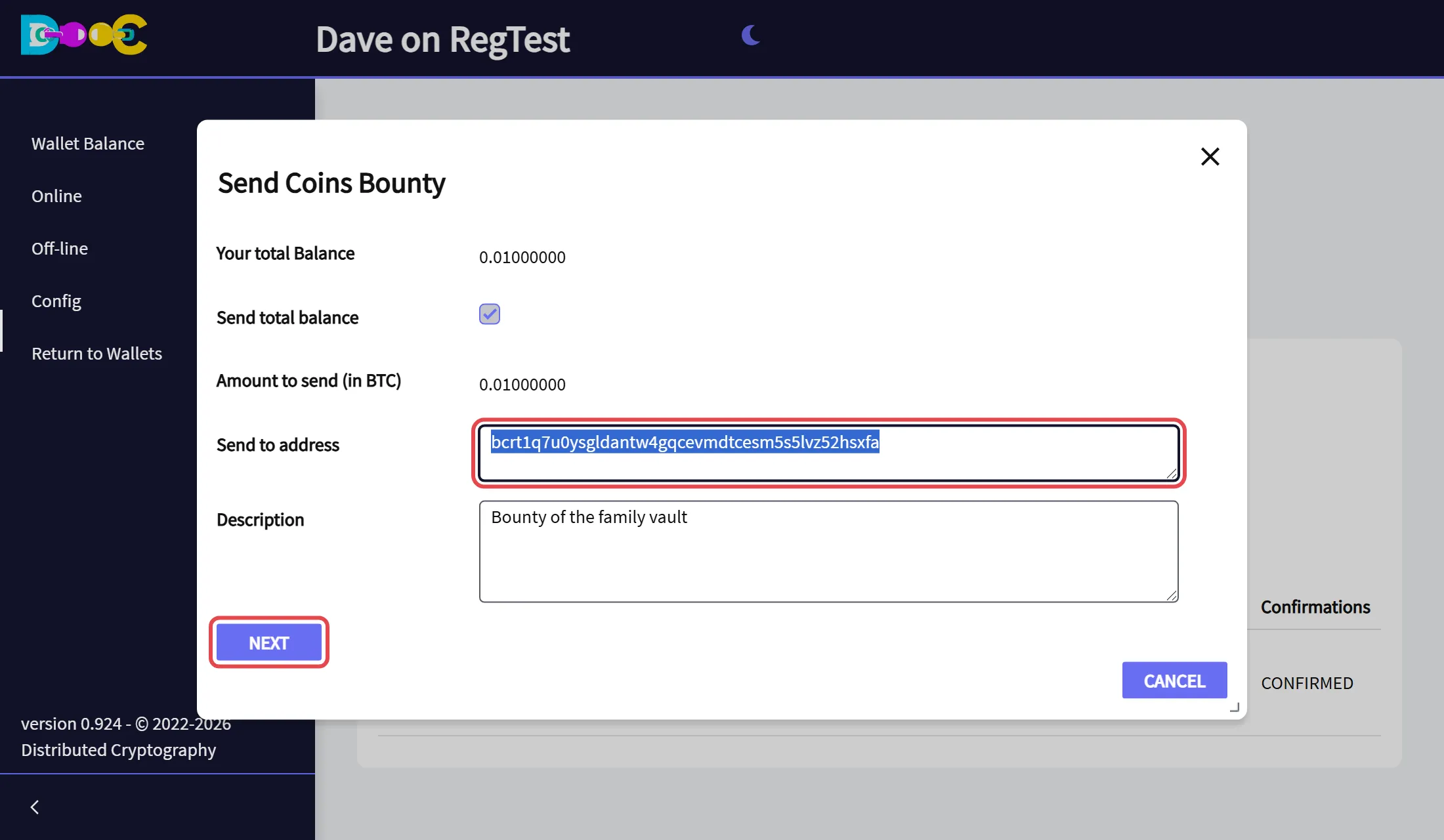
Type the address where you want to receive the bounty (an address of your own wallet, for example) and click Next. The whole bounty is sent.
-
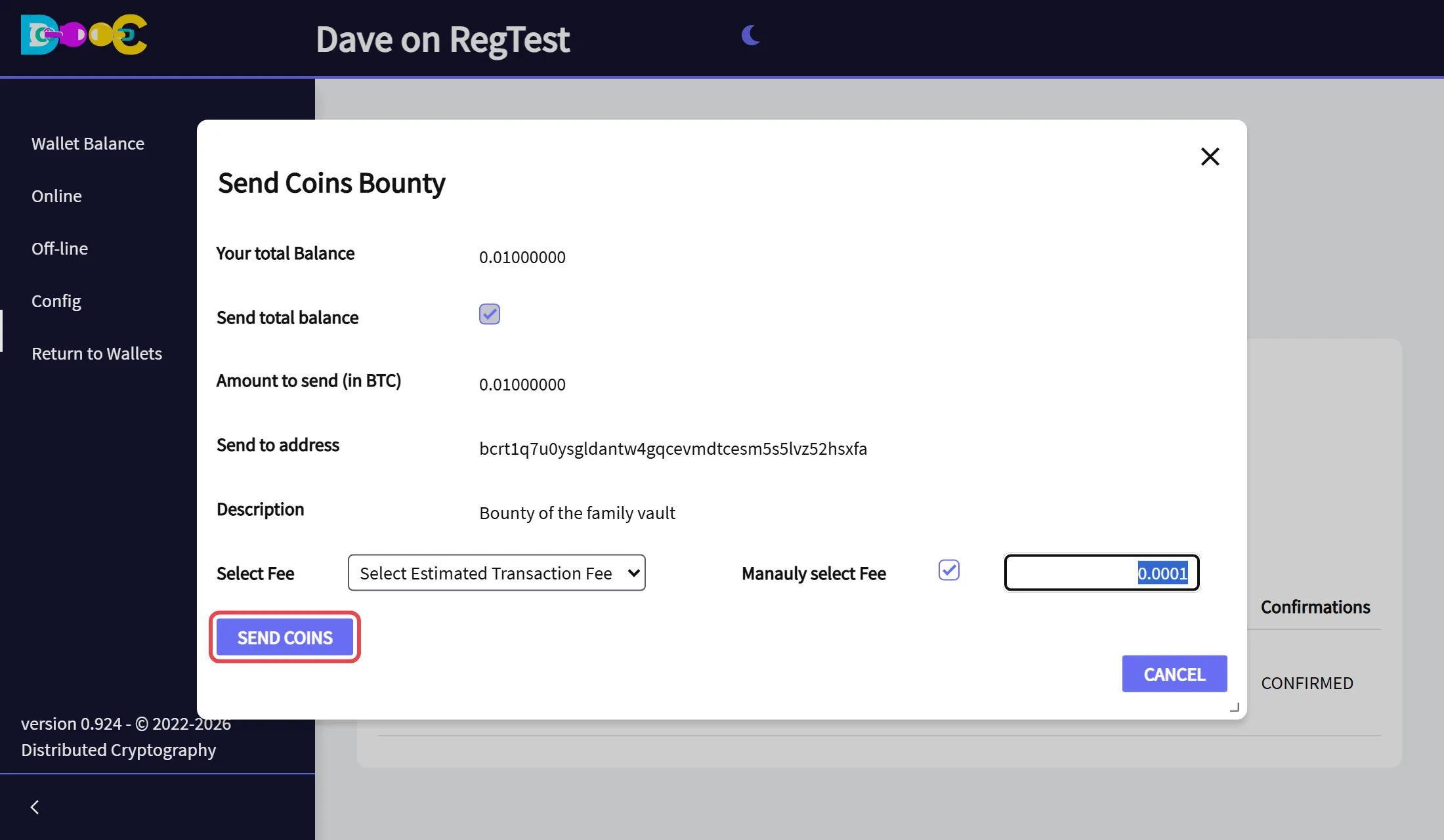
Choose the fee and click Send Coins.
-
Type your wallet password and click Confirm. The payment is signed and sent now. If you close the password window, nothing is sent.
The app shows Coins submitted successfully. Once this payment is on the blockchain, the time lock is open.
Before the restore date the bitcoin network rejects this payment, so there is nothing to collect early.
The restore group recovers the wallet
Section titled “The restore group recovers the wallet”-
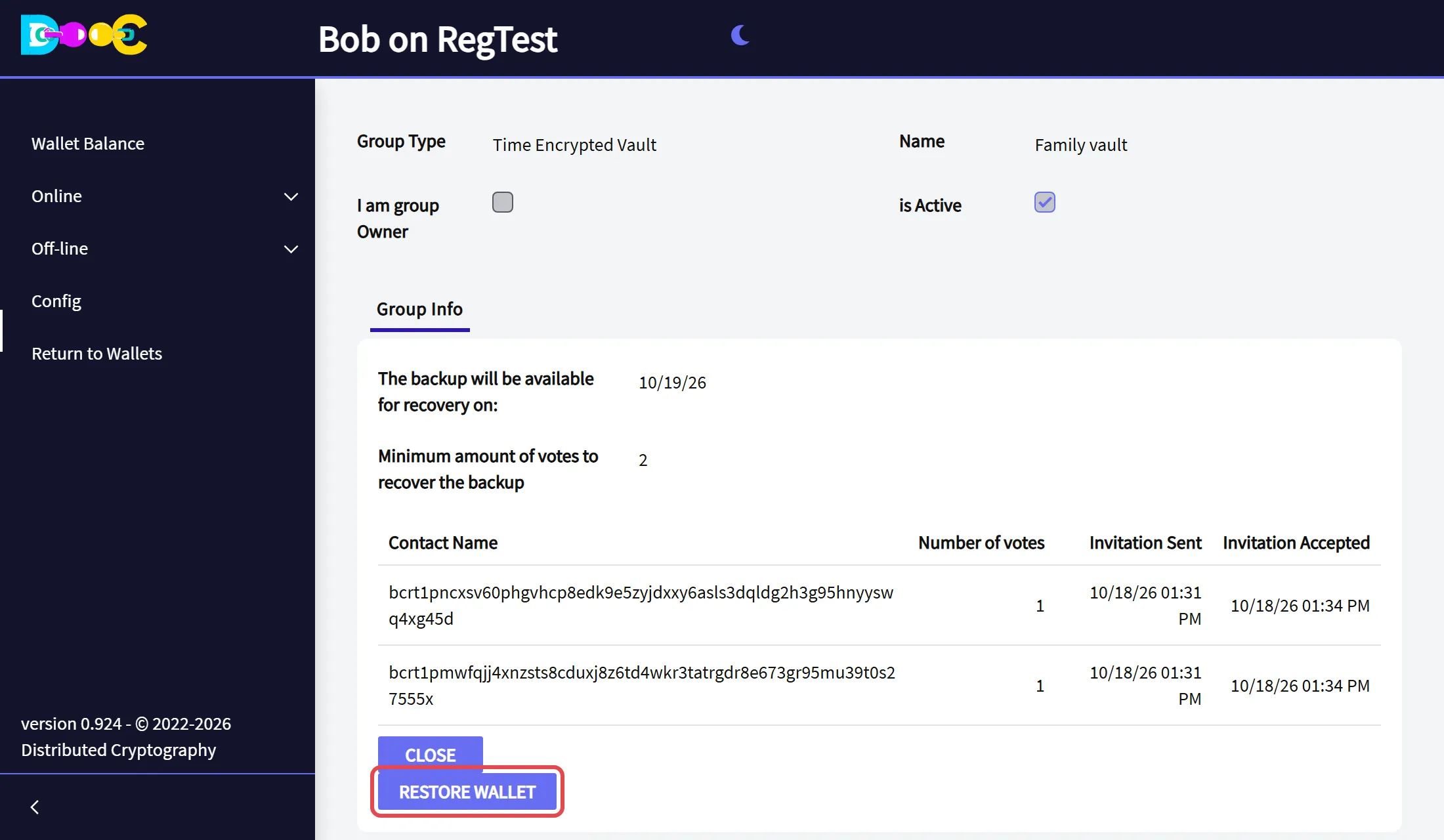
Each member who takes part opens the vault in their own wallet. After the bounty has been collected, the button Restore Wallet is there. Click it.
-
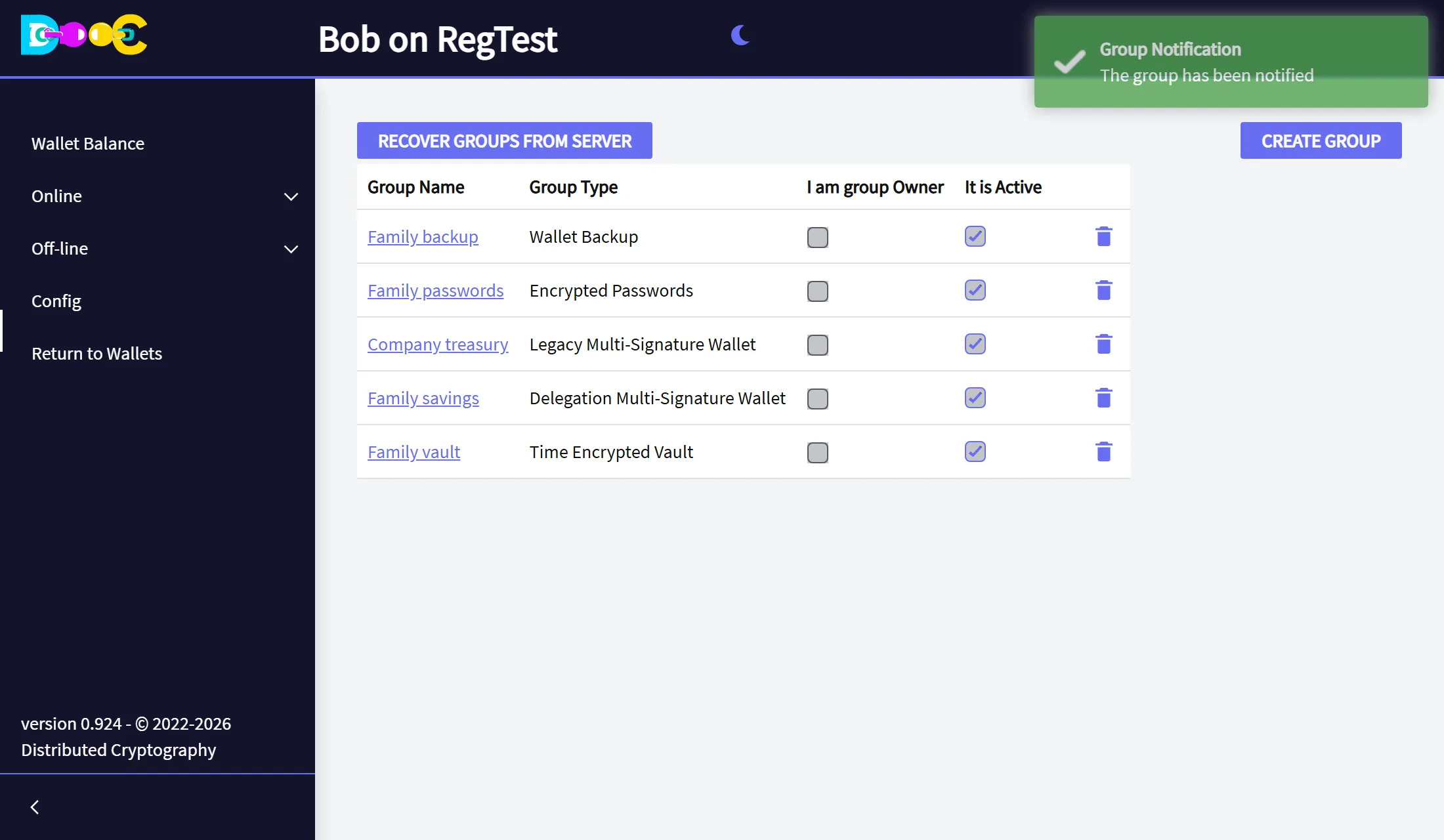
The app shows The group has been notified.
-
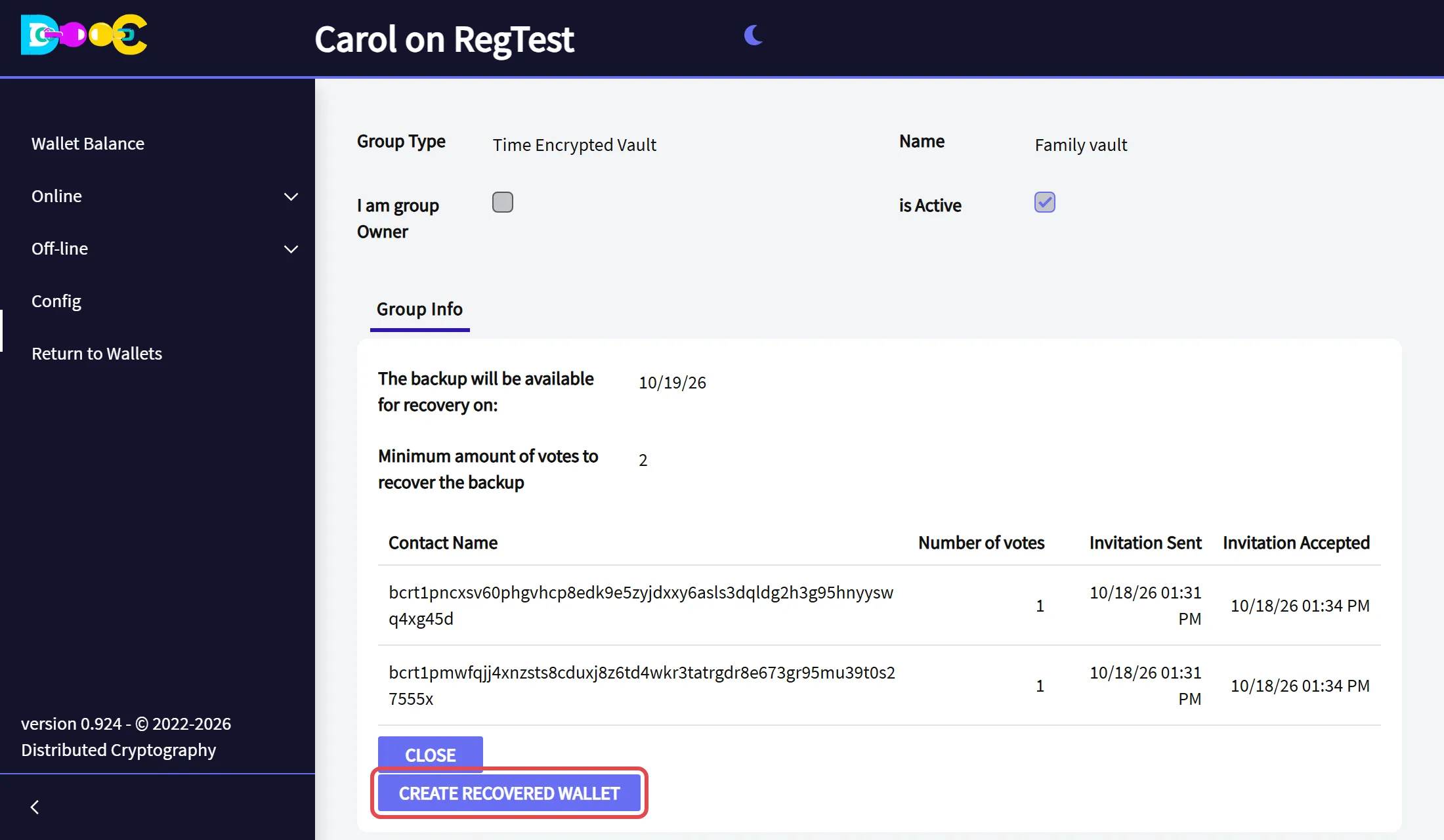
When the minimum has been reached, the app shows The group has been RESTORED and the button Create recovered wallet appears. Click it.
-
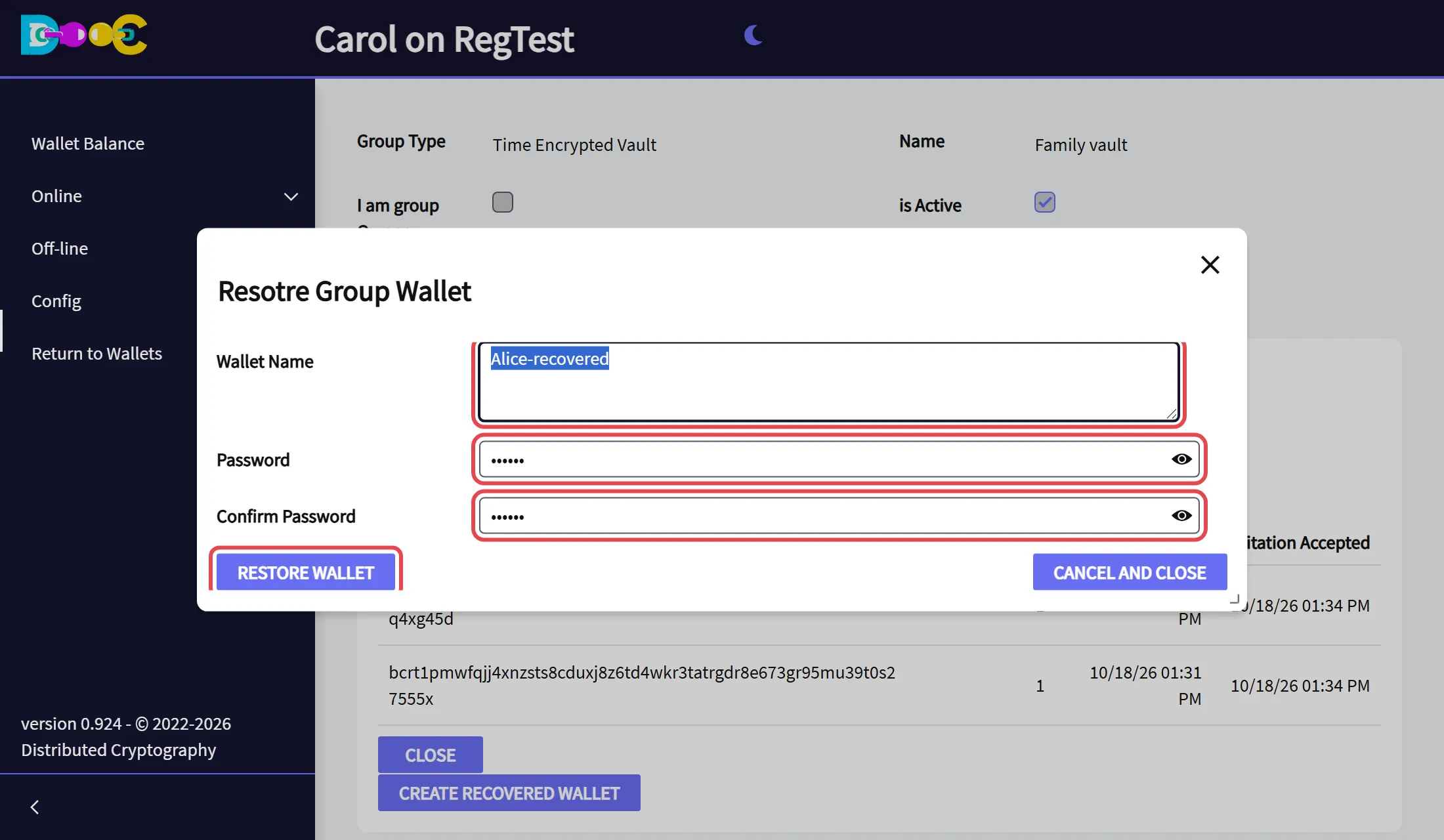
Type a name for the recovered wallet and a new password, twice. Click Restore Wallet.
-
The recovered wallet is in the list of wallets of that member’s computer.
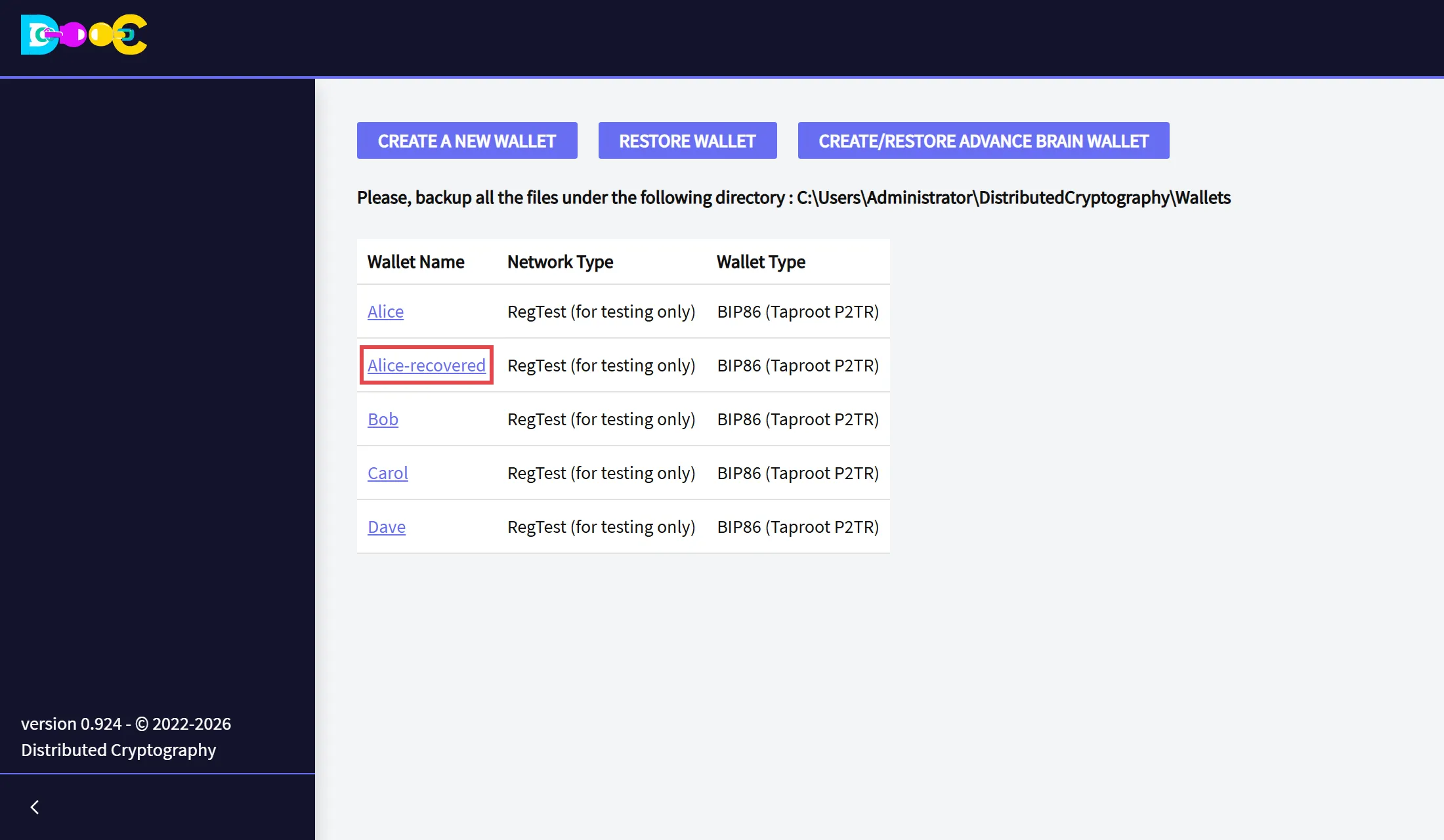
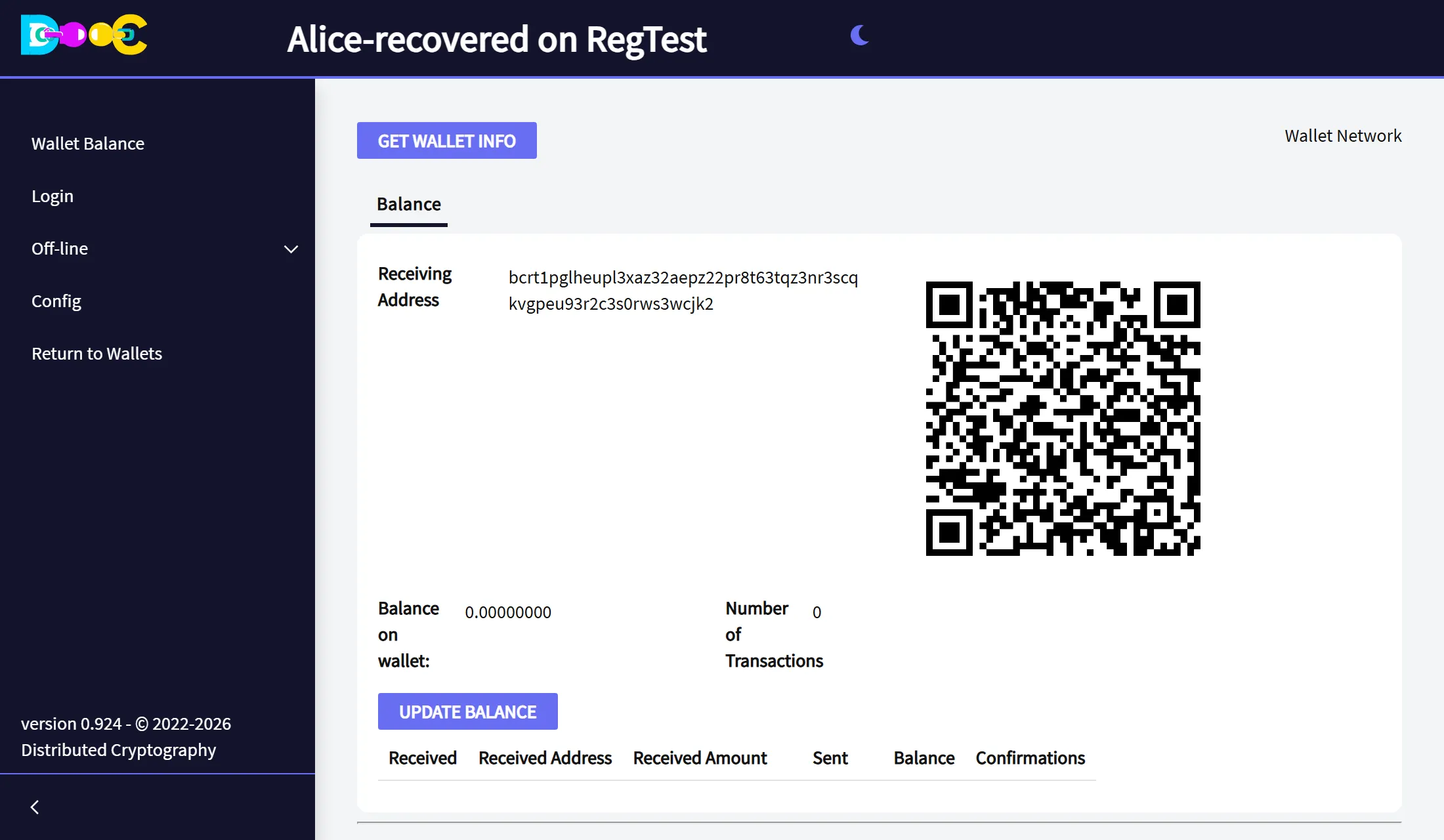
It is the owner’s wallet: the same addresses, the same bitcoin, the same user name. Open it and click Update Balance to load its payments.
If Restore Wallet is not there yet, the bounty has not been collected, or its payment is not on the blockchain yet. Go back to the wallets page and open the wallet again a little later.
What you are trusting
Section titled “What you are trusting”- The date is enforced by the bitcoin network: the bounty cannot be collected early.
- The time lock binds the bounty group and the restore group separately. If people from both groups agreed to work together against you, the date would not stop them. Put different people in each group, and people you trust.
- As with a Consensus Backup, once the minimum is reached any member of the restore group can create the recovered wallet.
A step-by-step demo on video
Section titled “A step-by-step demo on video”A long, detailed walk through every screen, recorded with an earlier version: